

If you move data from Postgres into ClickHouse, there’s a good chance PeerDB is doing the moving — it’s the CDC engine ClickHouse acquired in 2024 and the connector behind ClickPipes for Postgres.
chmonitor’s PeerDB section is now a real operating surface, not just a status list.
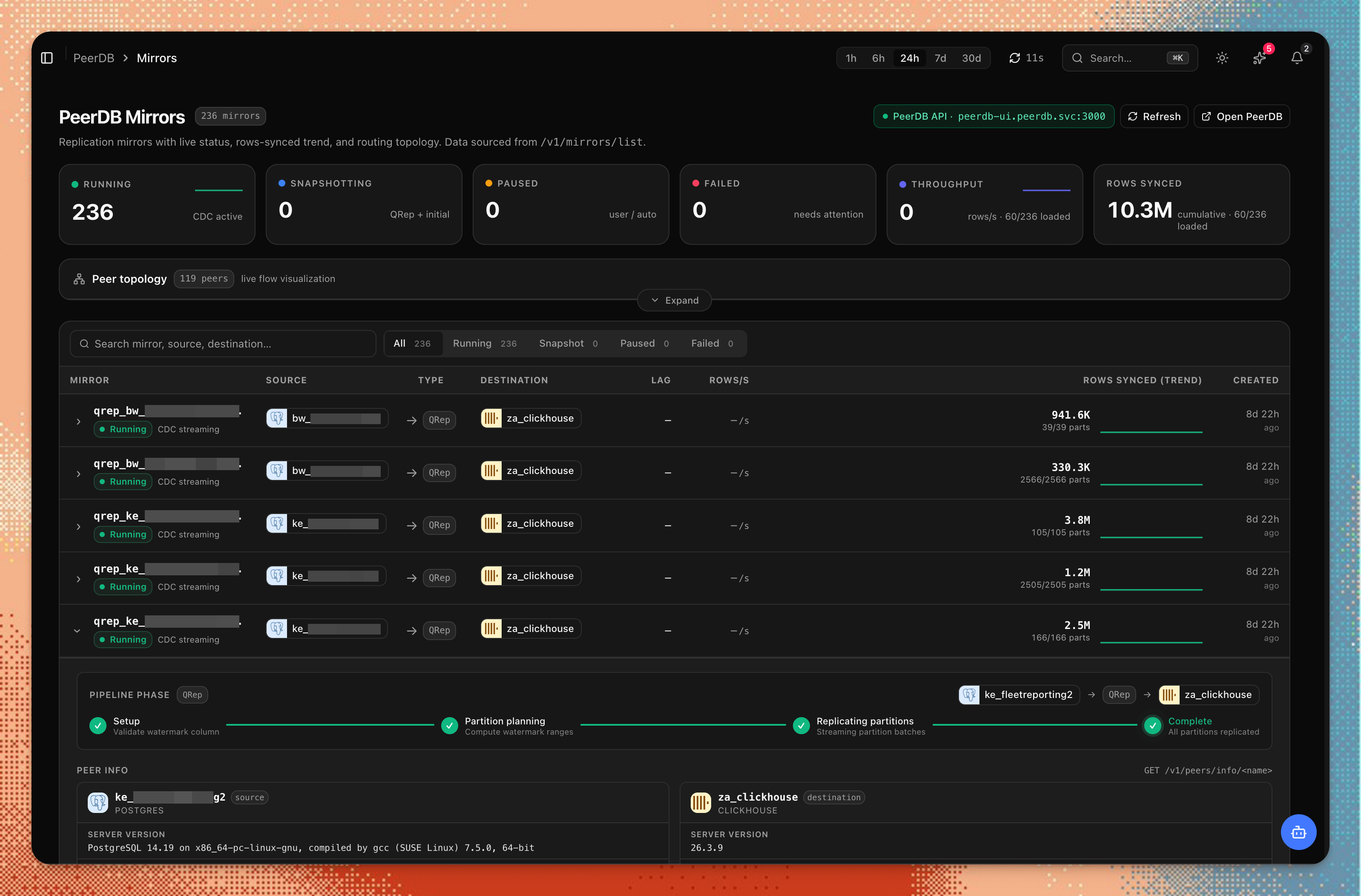
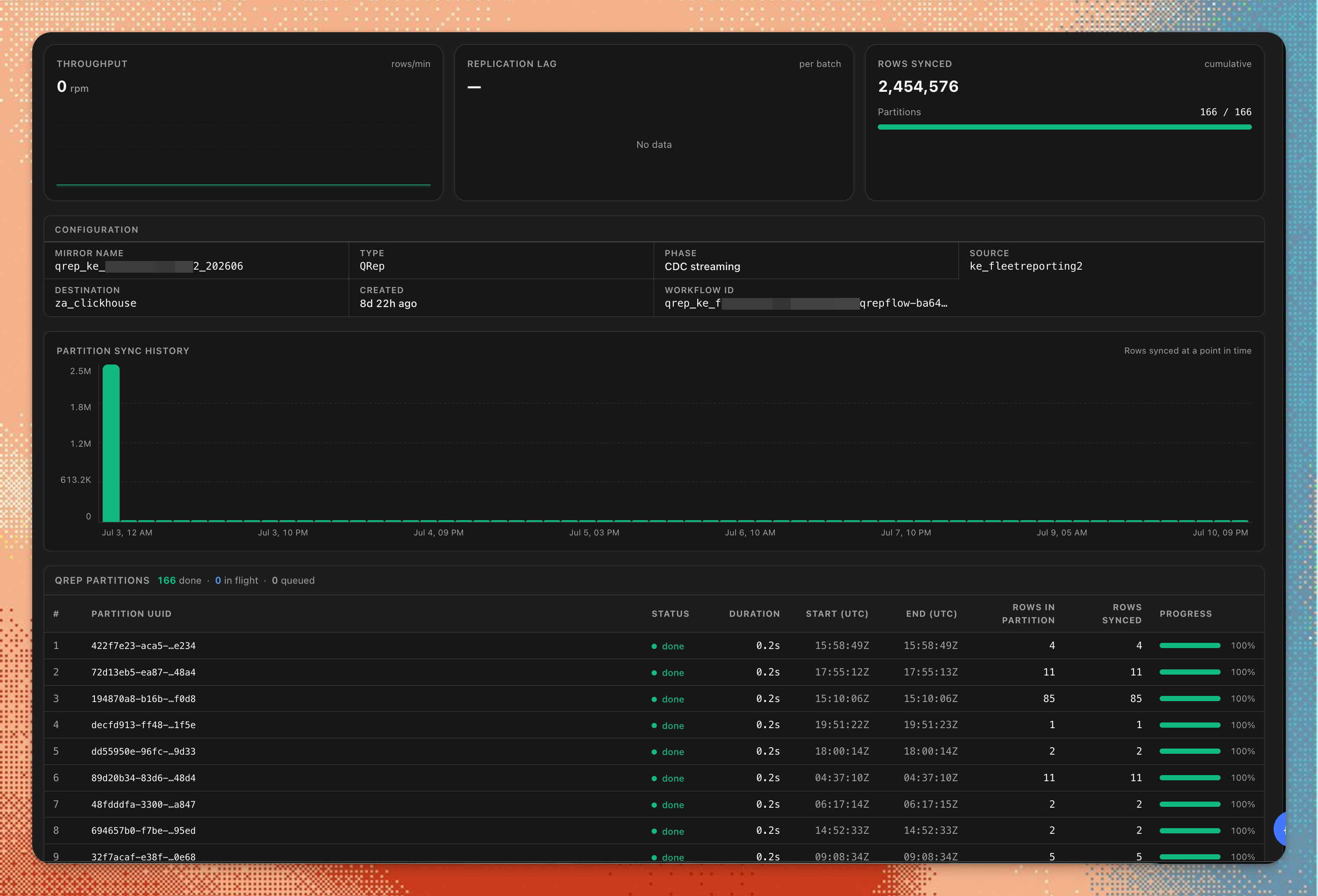
Slot health is the one to watch. A logical replication slot holds Postgres WAL until every subscriber has consumed it, so a paused or lagging mirror can grow WAL until it takes the source database down with it — an outage on the source, not just the pipeline.
Read-only by construction
chmonitor proxies a read-only allowlist of the PeerDB REST API. Mutating calls
(create, drop, pause, maintenance) are rejected with 403 at the proxy layer,
the credential stays server-side, and secret-shaped peer config is masked
before it reaches the browser.
Connect it
Set PEERDB_API_URL (and PEERDB_PASSWORD if your API needs auth), or add a
PeerDB monitoring link in the connection form’s Advanced section. Setup,
caching, and troubleshooting are in the PeerDB monitoring
docs.
It pairs with Postgres as a monitored source (beta) — the source database and the mirror moving its data, in one dashboard.
Try it on the live dashboard, or open an issue on GitHub.