

chmonitor has more pages than any one person opens. A DBA lives in tables, merges, and keeper. An engineer lives in queries and the SQL console. An SRE lives in health, metrics, and logs. Same product. Different noise.
Settings → Workspace → Navigation is the switch. The header says it: local to this browser. It slims the sidebar and the command palette for you. It does not change the server, and it does not change anyone else.
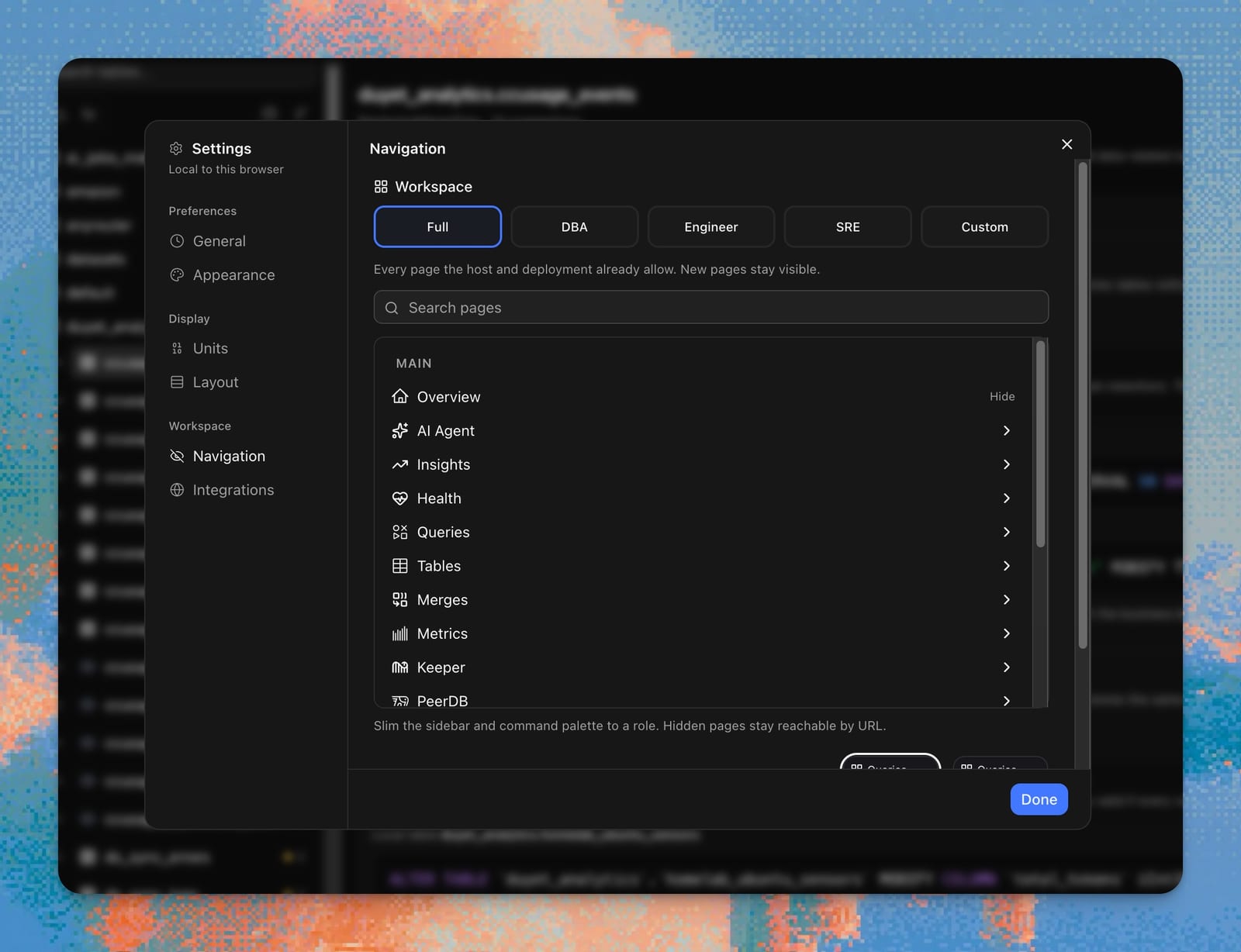
Pick a role
Five presets. Named roles keep a stable set of top-level groups. Full is the only one that auto-expands: new pages stay visible.
| Role | Groups you keep |
|---|---|
| Full | Every page the host and deployment already allow |
| DBA | Overview, Tools, Queries, Tables, Merges, Metrics, Keeper, Security, Logs, Cluster, System |
| Engineer | Overview, Tools, Queries, Tables, Insights, AI Agent |
| SRE | Overview, Tools, Health, Insights, Queries, Tables, System, Operations, Metrics, Logs |
| Custom | Start from a role, then hide extra pages |
Pick a role and the Settings tree remounts collapsed, so you can scan groups instead of a wall of checkboxes. Expand only what you care about. Search filters the tree.
The pill flips to Custom only when Hide/Show on a leaf diverges from that role’s hide list. Collapsing a parent does not count.
Hide a page in Settings
Leaves have Hide / Show. Hidden rows stay in the tree, dimmed. Parent rows are chevron-only — not hideable.
Footer About is not in this list. It sits next to the Settings gear and the host switcher, and those three are never filtered.
Hidden is not unauthorized. Routes stay reachable by URL. Restore always lives here: Settings → Workspace → Navigation.
A separate toggle on the same tab covers pages whose system table is missing on this host (dim them, or drop them from the menu). That is not your hide list.
Hide from the sidebar
Hover a leaf. Hide sits next to Pin. A toast says the page is hidden, with Undo and Open Navigation. The first one stays up longer so you see the restore path.
Pin and reorder
Pin a page and it lands in Favorites at the top of the sidebar. Drag the grip to reorder. Pins are local to this browser too. Unpin from the same hover control.
Chrome vs the menu
Theme, units, and layout stay on the Appearance / Units / Layout tabs — local chrome. The role plus hide list is the information architecture: which groups exist, which leaves you see.
Workspace visibility is applied last. Permission, cloud, and engine gates still win. Switch to a Postgres host and the Navigation tree matches that sidebar.
The Tools menu
Interactive work — run SQL, explore schema, explain a query, compare hosts — now lives in Tools, the last group in Main.
- SQL Console — read-only SQL with history, EXPLAIN, query log, and scan analysis
- Data Explorer — schema browser
- Explain — execution plan
- Advisor — ranked skip-index, projection, partition-key, and PREWHERE recommendations. Recommend only. It never applies DDL.
- Chart Builder — custom charts
- Schema Compare — table schemas across hosts or cluster nodes; copy a recommend-only change plan
- Settings Diff —
system.settingsandmerge_tree_settingsacross saved hosts or nodes
AI Agent stays its own top-level group. Postgres hosts do not see Tools at all (ClickHouse-family only). DBA, Engineer, and SRE all keep Tools.
Related
- Docs: Settings — Workspace / Navigation reference.
- The query advisor — recommend-only, same rule as the Advisor page.